
Nutrition & activity
Export your food tracking as PDF or Excel
Your records can be useful outside the app too. CalX can generate a monthly file from your saved data, giving you a report to keep or share with someone you choose.
Explore CalX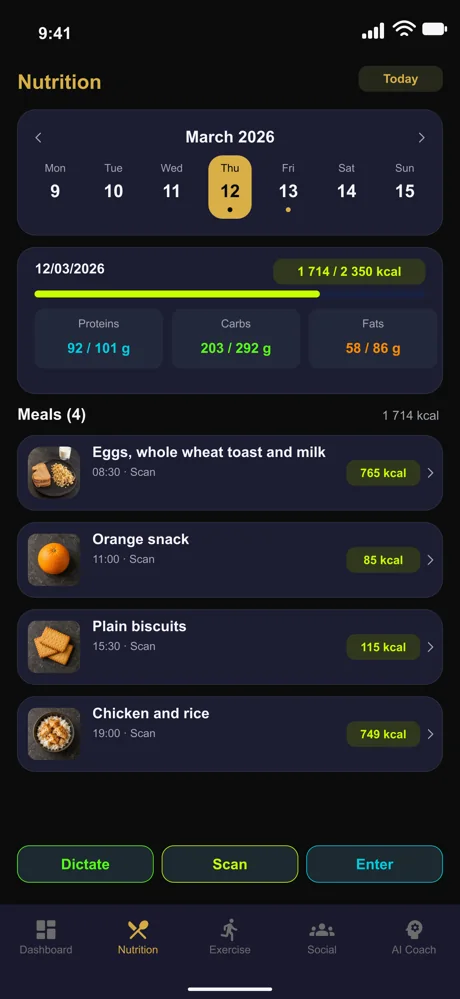
Choose a month to review
Open data export from your profile and select the month and year. The report depends on what you recorded during that period. An incomplete month does not automatically reflect all your habits: check which entries are included before interpreting the report.
Choose PDF or Excel
PDF provides a formatted report to read. Excel lets you work with the exported data in a spreadsheet. Once the file is generated, use your device’s sharing options to save it where you want or send it to a person you have chosen.
Stay in control of the file
An export contains personal information. Check the recipient before sharing and use storage you trust. This export is a readable report; this page does not promise that an entire account can be restored from it. Food values remain estimates, not a diagnosis.
Getting started in CalX
- Select a month and year in your profile’s export tool.
- Choose PDF or Excel and generate the file.
- Review the contents before saving or sharing.
Frequently asked questions
Is this a backup I can import into CalX?
The export described here is for reading or sharing a report. It is not a promise of account restoration.
Does the report replace professional advice?
No. It brings together recorded data and app estimates. You can choose to share it with a professional.
CalX is a tracking tool, not a medical device. Review AI estimates and suggestions. Some features and exports require a subscription, depending on the plan selected in the app.
Your record, close at hand.
Find CalX on iPhone and Android.